> ## Documentation Index
> Fetch the complete documentation index at: https://docs.zbx.boomfi.xyz/llms.txt
> Use this file to discover all available pages before exploring further.
# Customers
> Manage payers linked to wallets and paylinks, including manual registration.
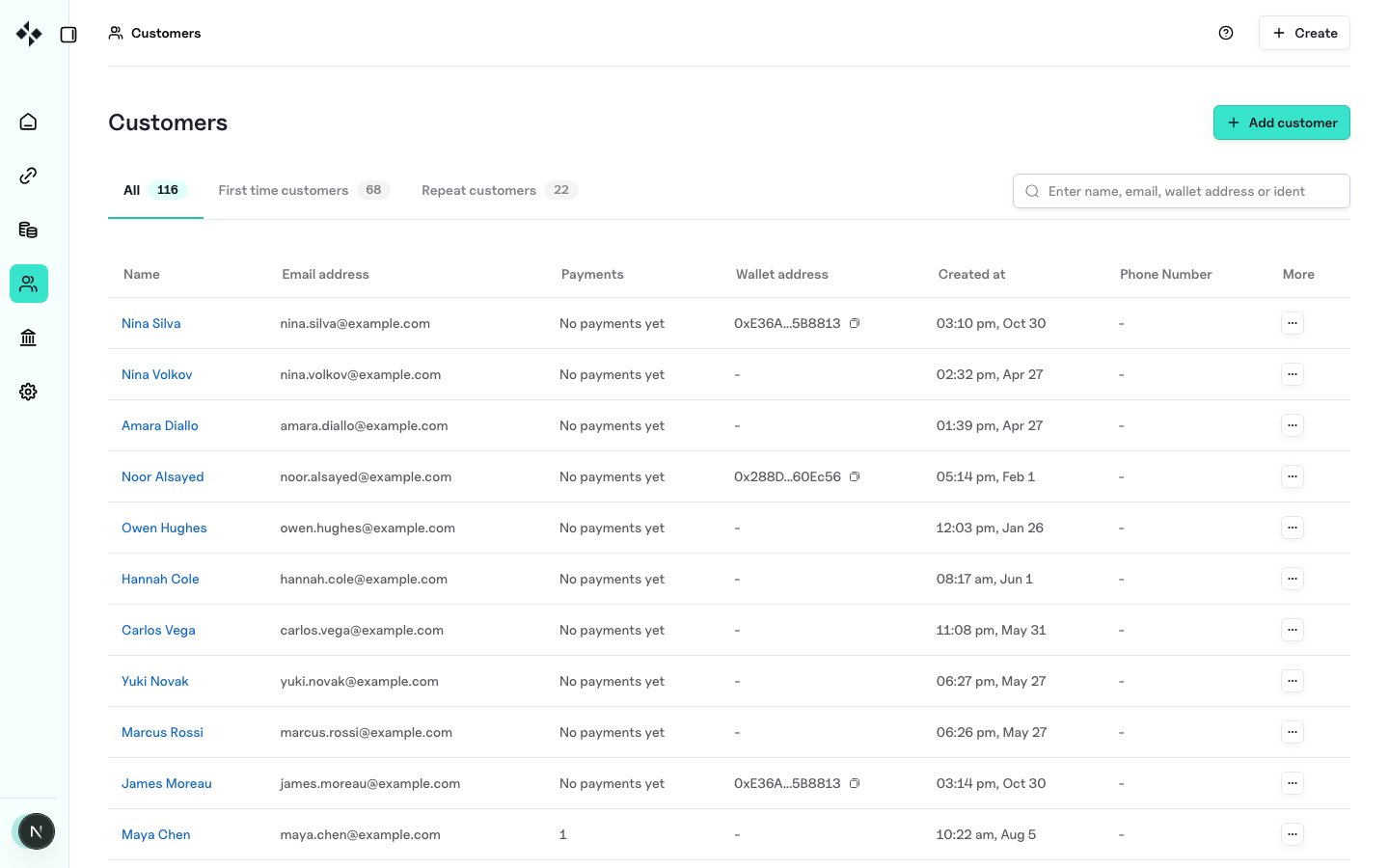
The **Customers** section is the hub for everyone who has paid or been registered against your organisation: whether or not a payment succeeded.
Open:
`https://merchants.zbx.boomfi.xyz/dashboard/customers`
 ## Automatic registration
When a new customer completes a pay link payment, ZBX creates or updates a customer record. Required fields are filled automatically; optional identity fields depend on what you collect at checkout.
## Tracking by wallet
Customer interaction history is often correlated with **wallet addresses**. Paying from a known address attaches activity to that customer profile.
## Manual registration
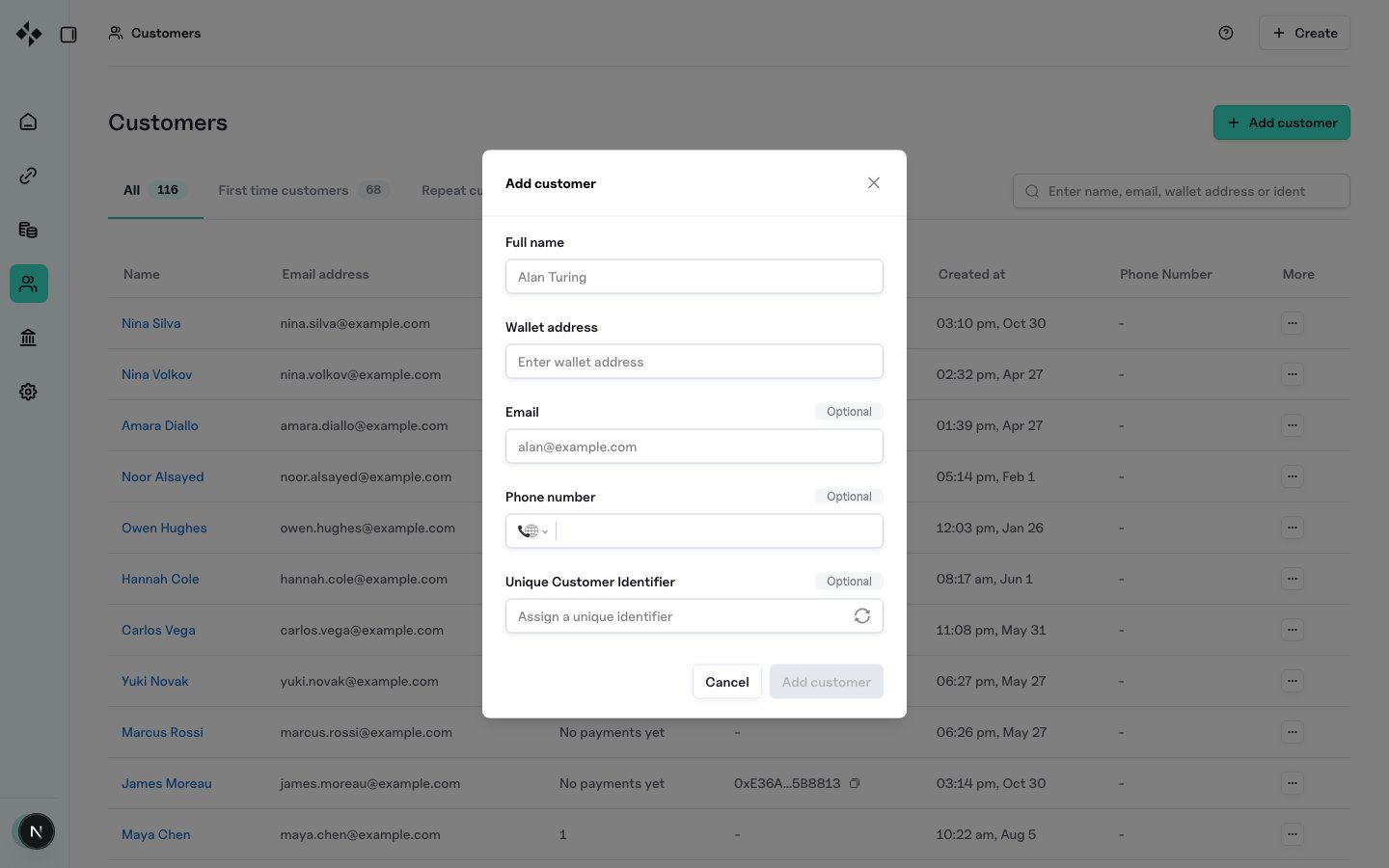
Use **Add customer** and provide at least a **name** and unique **wallet address**. Optional fields include:
* Email
* Personal address
* Phone number
* Unique customer identifier (your external id)
* Social handles where the form supports them
## Automatic registration
When a new customer completes a pay link payment, ZBX creates or updates a customer record. Required fields are filled automatically; optional identity fields depend on what you collect at checkout.
## Tracking by wallet
Customer interaction history is often correlated with **wallet addresses**. Paying from a known address attaches activity to that customer profile.
## Manual registration
Use **Add customer** and provide at least a **name** and unique **wallet address**. Optional fields include:
* Email
* Personal address
* Phone number
* Unique customer identifier (your external id)
* Social handles where the form supports them
 ## Permissions
Creating, editing, and deleting customers requires Member or higher; Accountants can view and export only. See [Team and Roles](/dashboard/team).
## Related
* [Customer Portal](/dashboard/customer-portal)
* [Transactions](/dashboard/transactions)
* [Paylink Features](/payments/paylink-features) (`customer_ident`)
## Permissions
Creating, editing, and deleting customers requires Member or higher; Accountants can view and export only. See [Team and Roles](/dashboard/team).
## Related
* [Customer Portal](/dashboard/customer-portal)
* [Transactions](/dashboard/transactions)
* [Paylink Features](/payments/paylink-features) (`customer_ident`)